
Linkedin - Learning Jenkins (2021)
- CategoryOther
- TypeTutorials
- LanguageEnglish
- Total size818.9 MB
- Uploaded Byfreecoursewb
- Downloads104
- Last checkedDec. 22nd '21
- Date uploadedDec. 19th '21
- Seeders 11
- Leechers12
Learning Jenkins (2021) 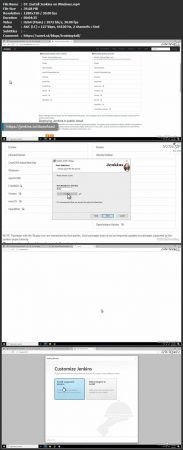
https://TutPig.com
Duration: 1h 33m | .MP4 1280x720, 30 fps(r) | AAC, 48000 Hz, 2ch | 818 MB
Genre: eLearning | Language: English
Do you need to automate tasks as part of your software development, system administration, or engineering work? This course introduces you to Jenkins, a highly configurable application used to automate software development and system administration tasks, and helps you build confidence in using it. Jenkins is a key DevOps tool, along with Docker and Git. Instructor Michael Jenkins covers how to set up a personal installation of Jenkins and familiarize yourself with the program’s interface. Next, Michael steps through how to configure your first job in Jenkins. After you get some experience with jobs, he explains the Jenkins plugin environment and how plugins are used to extend the functionality that Jenkins offers. Finally, Michael wraps up with detailed instructions on organizing jobs in folders and views, as well as a brief look into creating pipelines as code.
Files:
[ TutPig.com ] Linkedin - Learning Jenkins (2021)- Get Bonus Downloads Here.url (0.2 KB) ~Get Your Files Here ! 1. Introduction
- 01. Getting started with Jenkins.en.srt (2.2 KB)
- 01. Getting started with Jenkins.mp4 (15.4 MB)
- 02. What you should know.en.srt (1.9 KB)
- 02. What you should know.mp4 (9.0 MB)
- 03. Exercise files.en.srt (2.3 KB)
- 03. Exercise files.mp4 (13.8 MB)
- 04. Why choose Jenkins.en.srt (3.3 KB)
- 04. Why choose Jenkins.mp4 (17.5 MB)
- 05. Key terminology.en.srt (2.4 KB)
- 05. Key terminology.mp4 (11.9 MB)
- 010. Install Jenkins on Ubuntu.en.srt (4.8 KB)
- 010. Install Jenkins on Ubuntu.mp4 (34.4 MB)
- 011. The Jenkins user interface.en.srt (2.6 KB)
- 011. The Jenkins user interface.mp4 (12.2 MB)
- 012. Install and uninstall plugins.en.srt (5.5 KB)
- 012. Install and uninstall plugins.mp4 (33.8 MB)
- 013. Global tool configuration.en.srt (2.7 KB)
- 013. Global tool configuration.mp4 (13.3 MB)
- 06. System requirements.en.srt (2.2 KB)
- 06. System requirements.mp4 (13.1 MB)
- 07. Install Jenkins on Windows.en.srt (6.4 KB)
- 07. Install Jenkins on Windows.mp4 (39.7 MB)
- 08. Install Jenkins on Mac.en.srt (4.6 KB)
- 08. Install Jenkins on Mac.mp4 (31.7 MB)
- 09. Install Jenkins as a container.en.srt (5.7 KB)
- 09. Install Jenkins as a container.mp4 (37.2 MB)
- 014. Your first Jenkins job.en.srt (4.9 KB)
- 014. Your first Jenkins job.mp4 (27.1 MB)
- 015. Job types.en.srt (3.0 KB)
- 015. Job types.mp4 (16.1 MB)
- 016. Build description and source code management.en.srt (4.5 KB)
- 016. Build description and source code management.mp4 (24.4 MB)
- 017. Build triggers.en.srt (4.7 KB)
- 017. Build triggers.mp4 (27.0 MB)
- 018. The build environment.en.srt (7.5 KB)
- 018. The build environment.mp4 (42.8 MB)
- 019. Run and monitor jobs.en.srt (5.3 KB)
- 019. Run and monitor jobs.mp4 (29.4 MB)
- 020. Run and monitor jobs using Console output.en.srt (5.2 KB)
- 020. Run and monitor jobs using Console output.mp4 (30.4 MB)
- 021. Monitor build trends.en.srt (1.9 KB)
- 021. Monitor build trends.mp4 (11.1 MB)
- 022. Using a global build tool.en.srt (5.3 KB)
- 022. Using a global build tool.mp4 (34.0 MB)
- 023. Browse a job's workspace.en.srt (2.7 KB)
- 023. Browse a job's workspace.mp4 (16.2 MB)
- 024. Manage artifacts.en.srt (4.2 KB)
- 024. Manage artifacts.mp4 (23.4 MB)
- 025. Parameters and environment variables.en.srt (3.4 KB)
- 025. Parameters and environment variables.mp4 (19.2 MB)
- 026. String parameters.en.srt (2.9 KB)
- 026. String parameters.mp4 (18.9 MB)
- 027. Choice parameters.en.srt (3.2 KB)
- 027. Choice parameters.mp4 (20.8 MB)
- 028. Boolean parameters.en.srt (3.9 KB)
- 028. Boolean parameters.mp4 (23.3 MB)
- 029. Schedule jobs.en.srt (7.6 KB)
- 029. Schedule jobs.mp4 (43.5 MB)
- 030. Views and folders.en.srt (2.9 KB)
- 030. Views and folders.mp4 (16.0 MB)
- 031. Create a view.en.srt (4.9 KB)
- 031. Create a view.mp4 (30.5 MB)
- 032. Create a folder.en.srt (5.5 KB)
- 032. Create a folder.mp4 (35.1 MB)
- 033. Delete views and folders.en.srt (2.0 KB)
- 033. Delete views and folders.mp4 (13.5 MB)
- 034. Pipeline as code.en.srt (1.9 KB)
- 034. Pipeline as code.mp4 (24.5 MB)
- 035. Continuing on with Jenkins.en.srt (1.5 KB)
- 035. Continuing on with Jenkins.mp4 (8.6 MB)
- Bonus Resources.txt (0.4 KB)
Code:
- udp://tracker.torrent.eu.org:451/announce
- udp://tracker.tiny-vps.com:6969/announce
- http://tracker.foreverpirates.co:80/announce
- udp://tracker.cyberia.is:6969/announce
- udp://exodus.desync.com:6969/announce
- udp://explodie.org:6969/announce
- udp://tracker.opentrackr.org:1337/announce
- udp://9.rarbg.to:2780/announce
- udp://tracker.internetwarriors.net:1337/announce
- udp://ipv4.tracker.harry.lu:80/announce
- udp://open.stealth.si:80/announce
- udp://9.rarbg.to:2900/announce
- udp://9.rarbg.me:2720/announce
- udp://opentor.org:2710/announce
